Digitized Signature
Overview
Use the signature area on a municipal return to add a digitized signature.
In Stratus Municipal Pro, signatures are handled differently than in Premium Pro Enterprise. Premium Pro Enterprise used signature files such as .sig or .siig files. Stratus Municipal Pro supports PNG signature files and also allows typed signatures.

Add a Signature
- Open a municipal return.
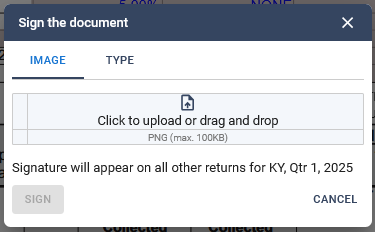
- Click inside the signature box.
- Choose whether to upload a PNG signature or create a typed signature.
Upload a PNG Signature
If you already have a signature saved as a PNG file, upload the file from the signature window.
If your existing signature is in a different format, contact TriTech Support for help converting the file.
Type a Signature
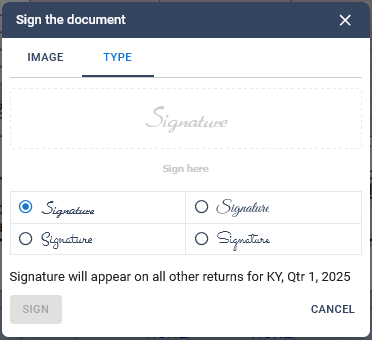
- Select the type option.
- Choose the signature font.
- Type the signer name.
- Select Sign.
How the Signature Is Applied
When you sign one return, the signature is applied to the other returns for the selected state and filing period. For Kentucky, the signature applies to the selected quarter.
Related Articles
Was this helpful?